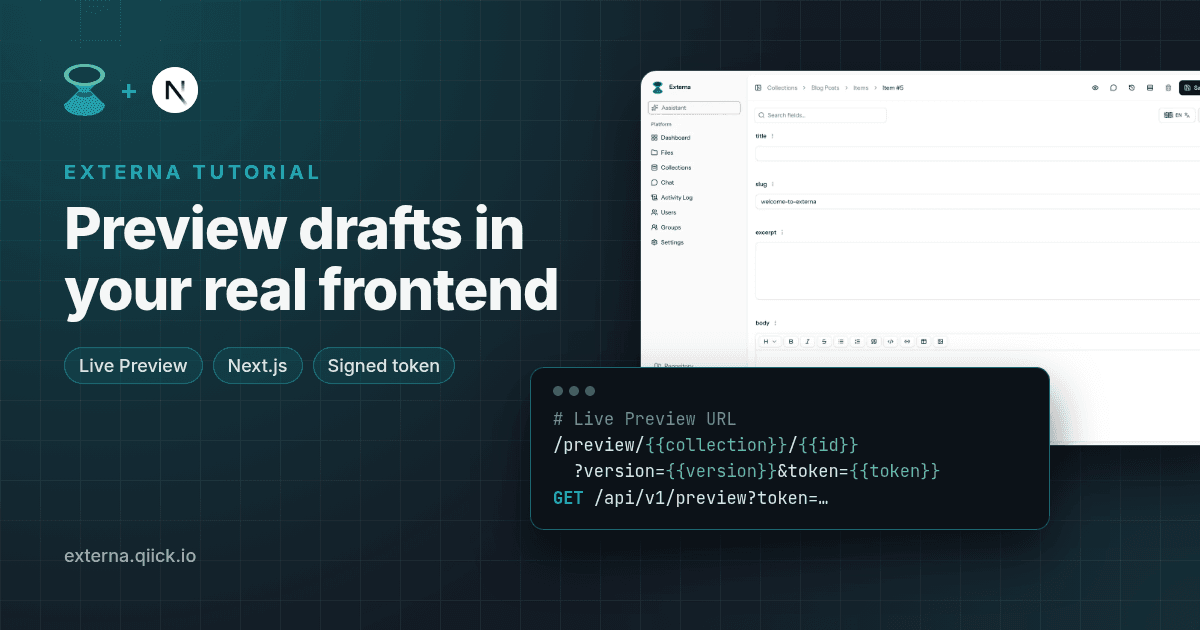
Live Preview in practice with a Next starter
Editors want to see a post the way readers will see it before they hit Publish. Externa's Live Preview does exactly that: from the item form it opens your own frontend with a short-lived, signed token, and your frontend swaps that token for the item's content. No API key in the URL, no second "preview CMS".
In this tutorial we'll add a /preview/[collection]/[id] route to the blog from Build a blog with Next.js and Externa, render drafts with the same components as the live site, and handle expired links gracefully.
Everything here matches Externa core 1.2.2 and the current externa-next-starter (v1.0.4, Next.js 15 App Router).
Prerequisites: Externa on PHP 8.4.27+ or 8.5.12+ (composer
^8.4.27), the blog from the previous article (or any app based onexterna-next-starter), and an admin who can edit the collection. To preview drafts specifically, you'll turn on content versioning in step 1.
What Live Preview is, and what it isn't
Live Preview opens your headless frontend for one item, in its draft or published version, from the admin item form. It's easy to mix up with Preview as role, which is a permissions tool (Live Preview):
| Live Preview | Preview as role | |
|---|---|---|
| Purpose | See the item in your real frontend | Check which fields a role can see (JSON) |
| Secret | Signed {{token}} in the URL | Admin session |
| Audience | Editors + frontend developers | Admins checking permissions |
What it doesn't do: it doesn't embed your site in an iframe inside the admin, and it doesn't stream keystrokes to the frontend. You save, then open the preview in a new tab.
1. Turn on content versioning (for drafts)
Open the articles collection's edit drawer and enable Content versioning. Editors then get Draft and Published workspaces on the item form (Content versioning):
- In Draft, saving writes to the item's
draft_dataonly. Published values don't change. - Publish copies
draft_datainto the published values and clears the draft. Discard draft throws it away. - The Public CMS API (
/api/v1/collections/...) keeps returning published values. Drafts are only reachable through Live Preview.
Live Preview also works without versioning; it then always shows the published version.
2. Configure the Live Preview URL
In the same collection drawer, fill in Live Preview URL. If you leave it empty, Externa uses Settings → Project → Live Preview URL (default). The template must start with http:// or https:// and can contain these tokens (Live Preview: Configure):
| Token | Value |
|---|---|
{{id}} | Item id |
{{collection}} / {{slug}} | The collection slug (both tokens give the same value; neither is the item's own slug field) |
{{locale}} | Optional content locale; the query parameter is dropped when it's empty |
{{version}} | draft or published |
{{token}} | Short-lived HMAC preview token (about 15 minutes) |
For local development with the starter:
http://localhost:3002/preview/{{collection}}/{{id}}?version={{version}}&token={{token}}
3. What editors see
On an existing item, the toolbar shows a Live Preview button (an external-link icon) once a template is configured. Clicking it calls GET /collections/{collection}/items/{item}/live-preview-url?version=draft|published (it requires can-show-collections), gets back the expanded URL, and opens it in a new tab (Live Preview: Admin UX).
When versioning is on, the version follows the workspace the editor is in: from Draft you get version=draft, from Published you get version=published. Each click mints a fresh token.
4. The frontend contract
Your preview route does three things (Live Preview: Frontend contract):
- Read
tokenfrom the query string. - Call
GET {EXTERNA_API_URL}/api/v1/preview?token=…. - Render
data.
curl -sS "http://externa-core.test/api/v1/preview?token=TOKEN" \
  -H 'Accept: application/json'
{
  "data": {
    "id": 1,
    "collection_id": 3,
    "data": { "title": "…" }
  },
  "meta": {
    "preview": true,
    "version": "draft",
    "locale": "en",
    "expires_at": "2026-10-21T12:00:00Z"
  }
}
The token is the credential, and it decides which item and version you get. The version in your URL is only there for your own routing or display; trust meta.version.
Errors: a missing token gives 422, an invalid or expired token gives 403.
The shape of data.data
This is where preview differs from the list endpoint you used for the blog, so it's worth a closer look:
- Draft (
meta.versionisdraftand the item has a pending draft):data.datais the rawdraft_databag. Translatable fields are locale maps ({ "en": "…", "it": "…" }), and file and relation fields hold ids. - Published (or a draft request on an item with no pending draft): the same item shape as the Public CMS API, flattened to one locale. The preview request has no
include, so files and relations are ids here too.
Our blog helpers already cope with both: text() accepts a string or a locale map, and PostBody reads block fields either way. Only the cover needs one extra call, below.
5. Build app/preview/[collection]/[id]/page.tsx
The route is a Server Component, reuses the starter's externaFetch() (which uses cache: 'no-store', exactly what a preview needs), and renders the same PostView component as /blog/[slug]:
// app/preview/[collection]/[id]/page.tsx
import type { Metadata } from 'next'
import { PostView } from '@/components/blog/post-view'
import { text } from '@/lib/blog'
import { ExternaHttpError, externaFetch } from '@/lib/externa/client'

// Preview pages should never end up in a search index (a Next.js setting, not an Externa feature).
export const metadata: Metadata = { robots: { index: false, follow: false } }

type PreviewResponse = {
  data: { id: number; collection_id: number; data: Record<string, unknown> }
  meta: {
    preview: true
    version: 'draft' | 'published'
    locale: string
    expires_at: string
  }
}

type Props = {
  params: Promise<{ collection: string; id: string }>
  searchParams: Promise<{ token?: string | string[] }>
}

/** Preview payloads are not expanded, so file fields hold an id. Resolve it via the Files API (needs Files → Read). */
async function fileUrl(value: unknown): Promise<string | null> {
  if (typeof value !== 'number') return null
  try {
    const res = await externaFetch<{ data: { url: string } }>(
      `/api/v1/files/${value}`,
    )
    return res.data.url
  } catch {
    return null
  }
}

export default async function PreviewPage({ params, searchParams }: Props) {
  const { id } = await params
  const { token } = await searchParams
  const value = Array.isArray(token) ? token[0] : token

  if (!value) {
    return (
      <PreviewProblem message="This link has no preview token. Open the item in Externa and click Live Preview." />
    )
  }

  let preview: PreviewResponse
  try {
    // The token is the credential: no API key in the URL. externaFetch adds the server-side
    // Bearer key only if EXTERNA_API_KEY is set (needed when Allowed origins is configured).
    preview = await externaFetch<PreviewResponse>(
      `/api/v1/preview?${new URLSearchParams({ token: value })}`,
    )
  } catch (error) {
    if (
      error instanceof ExternaHttpError &&
      [403, 404, 422].includes(error.status)
    ) {
      return (
        <PreviewProblem message="This preview link is invalid or has expired. Go back to Externa and click Live Preview again." />
      )
    }
    throw error
  }

  const { data: item, meta } = preview
  if (String(item.id) !== id) {
    return (
      <PreviewProblem message="This preview token belongs to a different item." />
    )
  }

  const coverUrl = await fileUrl(item.data.cover)

  return (
    <>
      <p className="preview-banner">
        Preview · {meta.version} · {meta.locale} · expires{' '}
        {meta.expires_at.replace('T', ' ').replace('Z', ' UTC')}
      </p>
      <PostView
        title={text(item.data.title, meta.locale)}
        excerpt={text(item.data.excerpt, meta.locale)}
        cover={coverUrl ? { url: coverUrl, alt: '' } : null}
        body={item.data.body}
        locale={meta.locale}
      />
    </>
  )
}

function PreviewProblem({ message }: { message: string }) {
  return (
    <div className="error">
      <p>{message}</p>
    </div>
  )
}
And a banner style in app/globals.css:
.preview-banner {
  padding: 0.5rem 0.75rem;
  border-radius: 6px;
  background: #fff4d6;
  color: #5c4400;
  font-size: 0.875rem;
}
What's going on:
searchParamsandparamsare promises in Next.js 15, hence theawaits.- No API key in the URL. If you've set Allowed origins in Externa, though, the preview endpoint is behind the same origin gate as the rest of
/api/v1, so a server-side call needsEXTERNA_API_KEY.externaFetch()sends it as a header when it's set. - Expired links get a friendly message instead of an error page. Editors just click Live Preview again.
- The cover is resolved through
GET /api/v1/files/{id}, because preview payloads aren't expanded. That call uses the normal grants, so thepublicrole (or your key's role) needs Files → Read, the same as for the blog. robots: noindexkeeps preview pages out of search engines. That's a Next.js setting, not something Externa does for you.
Open an article in Externa, switch to Draft, change the title, save, and click Live Preview. The new tab shows your draft title under a yellow "Preview · draft" banner, while http://localhost:3002/blog still shows the published one.
6. Draft vs published, end to end
- Edit in Draft and save. Live Preview shows the draft;
/blog/[slug]still shows the published values, because the Public CMS API only returns published content. - Click Publish. Externa copies
draft_datainto the published values and clears the draft. If you use outbound webhooks, this emitsitem.published. - Reload
/blog/[slug]: the change is live. A Live Preview from the Published workspace now shows the same content.
If you schedule publishing instead (Publish at on a versioned item), the scheduler promotes the draft when it's due, so keep schedule:run (or the Compose scheduler service) running (Content versioning: Scheduled publish).
Security notes
- Never put API keys in the preview URL. Use
{{token}}; that's what it's for. - Treat preview links like temporary share links. Anyone with a live token can read that item's preview payload until it expires, and the draft payload contains every field of the item.
- Tokens are HMAC-signed with
APP_KEY. RotatingAPP_KEYinvalidates every outstanding preview link.
Optional: locales
The template supports {{locale}}, and the token can carry a locale, which the API then uses for the published payload (meta.locale tells you which one it used). As of 1.2.2, the toolbar button still doesn't pass a locale (the item form mounts it without one), so with the admin UI the token usually has none, and meta.locale is the resolved default. For drafts it matters less: the draft bag contains every locale, and text(value, locale) picks one. If your site serves several locales, pass the locale your route needs to text() instead of meta.locale. See Multilingual landing page with Nuxt and Externa for how locales work in the API.
Recap
- Live Preview URL on the collection (or the project default), with
{{collection}},{{id}},{{version}}and{{token}}. - A
/preview/[collection]/[id]Server Component that swaps the token for content viaGET /api/v1/preview, with no caching and no API key in the URL. - The same
PostViewcomponent as production, so the preview really looks like the live page. - Drafts stay private until Publish; the Public CMS API keeps serving published values.
Use AI while you follow along
Paste Add Live Preview to a Next.js frontend into Cursor or Claude. It points the assistant at https://docs.externa.qiick.io/llms.txt and the Live Preview docs first, so it implements the documented token contract instead of inventing one.
Docs used in this article
AI prompt for this guide
Add Live Preview to a Next.js frontend
Implement the documented Live Preview contract (URL template tokens, signed token, GET /api/v1/preview) in a Next.js app.
- Live Preview
- Next.js
- Content versioning
You are helping me with Externa, an open-source headless CMS for Laravel (documented core version 1.2.2). BEFORE WRITING ANY CODE OR ADVICE: 1. Read https://docs.externa.qiick.io/llms.txt first. It lists every docs page as Markdown. 2. Then read these pages (fetch the .md versions): - https://docs.externa.qiick.io/docs/live-preview.md - https://docs.externa.qiick.io/docs/content-versioning.md - https://docs.externa.qiick.io/docs/headless-starter.md - https://docs.externa.qiick.io/docs/public-cms-api.md - https://docs.externa.qiick.io/docs/public-cms-api-types.md - https://docs.externa.qiick.io/docs/ai-coding-tools.md 3. Optional: pull docs via Context7 MCP using library IDs /qiick-io/externa-core and/or /llmstxt/externa_qiick_io_llms_txt. 4. If you cannot fetch URLs, tell me and ask me to paste those pages. Do not guess. RULES: - Use ONLY endpoints, parameters, field types, permission names, env vars and UI paths that appear in those docs (or in the starter's code, if I paste it). If something is not documented, say "not documented — check the docs" instead of inventing it. - Cite the docs page (URL) for each important step. - Clearly separate Externa behavior from framework/host behavior (Next.js, Nuxt, Vercel, Docker, etc.). - Never ask me to paste secrets (API keys ek_…, APP_KEY, webhook secrets) into this chat; use placeholders. - Before finishing, list any assumptions you made and anything I should double-check against my installed version. GOAL: Help me add Externa Live Preview to my Next.js App Router site (based on qiick-io/externa-next-starter). STEPS TO HELP WITH: 1. Tell me how to enable content versioning on the collection, so drafts exist. 2. Propose a Live Preview URL template using only the documented tokens ({{id}}, {{collection}} / {{slug}} — both are the COLLECTION slug, {{locale}}, {{version}}, {{token}}) and tell me where to set it (collection drawer or Settings → Project default). 3. Implement a preview route that reads `token` from the query and calls GET {EXTERNA_API_URL}/api/v1/preview?token=… with no caching (reuse the starter's `externaFetch()`); render `data` with the same components as my production pages and show `meta.version` / `meta.expires_at` in a banner. 4. Handle the documented errors (422 missing token, 403 invalid/expired) with a friendly "click Live Preview again" message. 5. Account for the payload shape: a draft returns the raw `draft_data` bag (translatable fields as locale maps, files and relations as ids); a published preview is a flattened item without `include` expansion (files are ids too). 6. Explain draft vs published per the content-versioning docs, and confirm the Public CMS API keeps returning published values. 7. Never put API keys in preview URLs; if Allowed origins is set, send the API key as a server-side header. Mark preview pages noindex. MY CONTEXT (fill in): - Externa URL (local/staging): <e.g. http://externa-core.test> - Frontend / stack: <e.g. Next.js 15 App Router on Vercel> - What I already have: <paste relevant schema, files, or errors — no secrets>These prompts tell your assistant to read the official docs first (llms.txt and Context7 IDs /qiick-io/externa-core and /llmstxt/externa_qiick_io_llms_txt). Always verify generated code, and never paste API keys, APP_KEY, or webhook secrets into a chat.
Related
- PHP emergency security releases — Oct 2026
PHP CVEs 2026-109618 and 2026-109619 (CVSS 9.2 RCE). Update to 8.4.27 or 8.5.12; what Externa users must do.
- Externa Core 1.2.1 — field rename drafts & deps
Patch for draft/revision field renames, npm audit clean-up, and the repair-renamed-field-drafts artisan command.
- Nuxt starter 1.1.1 — NuxtPage and Node 22.13+
Why 1.1.1 matters: NuxtPage instead of slot, h3 pin for getQuery, engines ≥22.13.0 — plus what 1.1.0 tooling bumps included.